All pages
Example repo: what a finished submission looks like
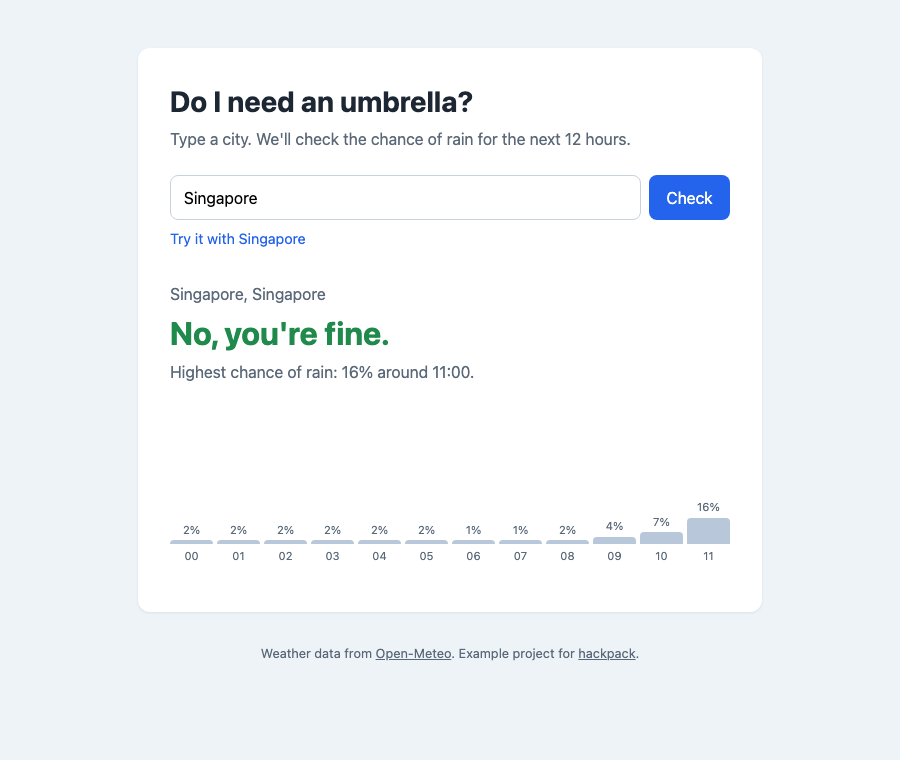
rain-check is a small, real project made to show what a good hackathon repo looks like when judges open it. Type a city, and it tells you whether to bring an umbrella. Try the live demo.
It wasn’t entered in a real hackathon; it exists so you can see every part of a submission in one place. Open it in another tab and go through the list below.
What to look at
The repo page
github.com/Jay-Jay-Tee/rain-check
- The About box (top right): a one-line description, the live demo link, and topics. Set these under the gear icon next to “About”.
- The README shows straight under the files. It’s the first thing a judge reads.
The README
Read it. It follows the README template:
- one-line description at the top
- a screenshot, before any text about the problem
- the live demo link, near the top
- the problem in two sentences
- what it does, in bullets
- how it works: a small diagram and the stack
- how to run it locally, including environment variables (here, none)
- what’s mocked, what’s not built, next steps
- the team
The commit history
See the commits. Each one is a small step with a message that says what changed: “Set up the page and search form”, “Look up the city and show the hourly chance of rain”. Click one to see exactly which lines changed.
A pull request
PR #2: Remember the last city checked. This is how a teammate would add a feature without disturbing main: a branch, a description of what, why, how and how to test, then a merge. Look at the “Files changed” tab.
An issue
Issue #1: Use the browser’s location. Issues are the team’s to-do list. This one is an idea that didn’t make it into the demo, written down so it isn’t lost, and linked from the README’s “Not built” section.
Instruction files and a skill
AGENTS.md: what any AI agent should know about the project. See Instruction files.CLAUDE.md: one line,@AGENTS.md, so Claude Code reads the same file..claude/skills/demo-check/: the demo-check skill from Skills, committed so the whole team has it.
The small files
.gitignore: keeps.env, OS junk andnode_modules/out, even though this project doesn’t have them yet.LICENSE: says others may reuse the code (MIT here).- No
.env.example, because there are no keys. If your project has any, include one.
The release tag
Tag v1.0 marks the submitted version, made with:
git tag -a v1.0 -m "Submitted version"
git push --tags
If you keep working after the deadline, judges can still see exactly what you submitted.
The live demo
jay-jay-tee.github.io/rain-check, hosted free on GitHub Pages. It has:
- a “Try it with Singapore” button, so judges don’t have to type
?city=Londonlinks that open straight to a result- a fallback to saved data if the weather service is down, with a note saying so, so the demo can’t break
Your repo doesn’t need to match exactly
A bigger project will have more folders, a framework, and a .env.example. What matters is that a judge can understand what you built in 30 seconds from the README, open a working demo, and see a history of real work.
Before submitting, go through the submission checklist.